Launching a new website can be like opening a coffee shop. You spend months fine-tuning the decor, hiring staff, and planning the menu, but if you forget to unlock the front door on opening day, no one comes inside. In the digital world, that “front door” is your SEO foundation. Get it right before you press “Publish,” and you’ll save yourself a heap of trouble later.
This guide covers the big hitters: keyword research, clean URLs, mobile performance, site speed, metadata, internal linking, analytics, plus a handful of tasks many people miss in the final rush. Whether you code for a living or you’re building your first site with a page builder, these steps will keep your SEO on track from day one.
Keyword Research and Search Intent
Keyword research is the compass that points your site toward real people and real searches. Without it, you risk writing for nobody.
1. Build a seed list
Grab a pen or open a blank doc and jot down every phrase your perfect visitor might type. Think brand terms, competitor names, and common industry questions. Include slang or regional terms if they apply. The wider your starting net, the richer your final list.
2. Expand with tools
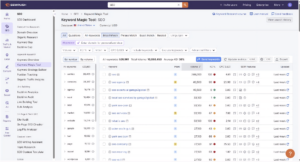
Pop that list into Google Keyword Planner, SEMrush, or Ahrefs. These tools uncover related keywords, long-tail versions, frequently asked questions, and rising trends. Pay attention to search volume, keyword difficulty, and the exact wording of user questions so you can match content to need.
3. Map each keyword to a page
Imagine your site as a library. Every book (page) should have one clear title (primary keyword). Second-tier queries become chapter headings or future blog posts. Mapping in a Google Sheet keeps designers, writers, and developers from stuffing three unrelated terms onto one page.
A well-organized keyword map also prevents internal competition, where two pages accidentally target the same term and confuse search engines about which one to rank. When you assign one primary keyword per page, you create clear topical boundaries that help both users and crawlers understand your site’s structure.
4. Match search intent
Open the current search results for each term. If every top result is a how-to article, plan a how-to. If they’re product pages, create a product page. Matching intent builds trust with visitors and helps Google rank you accurately.
Once you have the plan, share that spreadsheet with the whole team. Everyone will know exactly which keyword each page must target and why.
URL Structure and Information Architecture
Your URLs are like street signs. Clear signs guide visitors and crawlers; confusing ones send them around in circles.
Short, descriptive slugs
Choose lowercase, hyphen-separated words that tell users and search engines what the page covers. A slug like `/pricing/consulting/` beats `/2023_06_final_draft/` every time. Keep slugs under five words when possible, and avoid stop words like “and,” “the,” or “of” unless they’re essential for clarity.
Logical folder structure
Group related pages under sensible parent directories. Services under `/services/`, blog posts under `/blog/`, resources under `/resources/`. This layout improves crawl efficiency, breadcrumb trails, and user navigation. A clear hierarchy also helps distribute link equity throughout your site, ensuring that authority flows from high-value pages to supporting content.
Skip date-based paths
Unless you publish news that depends on chronology, leaving dates out keeps content evergreen and URLs short. It also prevents redirect headaches when you update a post next year. Evergreen URLs signal to both users and search engines that your content remains relevant regardless of publication date.
See how it looks in practice on my SEO services page. One folder, one keyword, zero clutter.
Mobile-First Design and Core Web Vitals
Google judges your site’s mobile version first. If it works on a phone, it will likely work everywhere else.
Responsive layouts
Test the site on as many devices as possible. From desktop to mobile view, the text should be legible without zooming in, images should scale up or down depending on the device, and calls-to-action buttons should stay finger-friendly. The team of web design and development professionals at VisualFizz have completed this process many times without a hitch, as you can see from their incredible work
Visual stability
Prevent layout jumps by setting width and height attributes on images and embeds. A stable layout improves the Cumulative Layout Shift (CLS) score and keeps users from accidentally clicking the wrong link. Reserve space for ads or dynamic content blocks so they don’t push existing content down when they load.
Low input delay
Defer heavy scripts and trim JavaScript so taps and swipes respond right away. A low First Input Delay (FID) score—now measured as Interaction to Next Paint (INP) in Core Web Vitals—shows Google you care about mobile experience. Users expect instant feedback when they tap a button or open a menu; delays longer than 100 milliseconds feel sluggish and hurt engagement.
Site Speed Optimization Before Launch
Speed is the silent deal-breaker. A site that loads in two seconds keeps people browsing. Add three more seconds, and half your visitors bounce.
Compress and resize images
Swap oversized PNGs for compressed JPEG or WebP files. Big images are the top culprit behind sluggish pages, especially on mobile. VisualFizz’s image-optimisation guide walks through tools and settings.
Enable full-page caching
Caching stores a static copy of your page so the server doesn’t rebuild it for every visitor. The result is fast load times and lighter server load during traffic spikes. Configure browser caching headers to store assets like CSS, JavaScript, and images locally on users’ devices for repeat visits.
Minify CSS and JavaScript
Strip out extra spaces, line breaks, and unused code. Smaller files ship faster, improving Core Web Vitals and overall user experience. Many build tools and content management systems offer plugins that handle minification automatically during deployment.
Defer third-party scripts
Analytics tools, chat widgets, and ad scripts are useful but not urgent. Load them asynchronously so the main content appears first. Tag managers like Google Tag Manager can help you control the loading sequence and prevent third-party scripts from blocking critical rendering paths.
Run Lighthouse reports in staging until all key metrics show green. For a more comprehensive guide on performance, review Google’s PageSpeed Insights documentation. It’s a long read, but worth your time.
Essential Metadata and Schema Setup
Metadata is the information highway sign that tells search engines and users where your content lives and why it matters.
Unique title tags
Put the main keyword near the front and limit to sixty characters so the search snippet displays the whole title. Include your brand name at the end for recognition, separated by a pipe or dash. Avoid keyword stuffing—write for humans first, search engines second.
Persuasive meta descriptions
Use 120 to 155 characters to summarize benefits and invite clicks. While not a direct ranking signal, a good description can lift click-through rates. Think of it as ad copy: highlight value, create urgency, or pose a question that your page answers.
Social sharing tags
Add Open Graph and Twitter Card tags so your link looks polished when shared. The correct image and summary can increase shares and traffic. Specify a featured image at least 1200×630 pixels for Open Graph to ensure sharp previews on Facebook and LinkedIn.
Basic JSON-LD schema
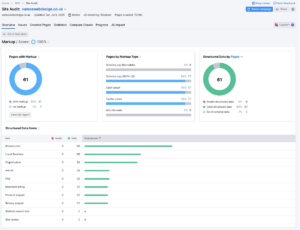
Implement structured data types such as Organization, Website, Product, Service, Article, and FAQ. Valid schema helps Google understand your content and can display star ratings, price snippets, or sitelinks that encourage clicks in search results. Use Google’s Structured Data Markup Helper to generate code, then validate it with the Rich Results Test before launch.
Internal Linking and Anchor Text Strategy
Internal links are your site’s internal road map. If you plan them early, every new page has a clear route.
Descriptive anchors
Use anchors that describe the destination, like “SEO audit template” instead of “click here.” It improves relevance for visitors and search engines.
Parent–child links
Link child pages to category hubs to reinforce hierarchy and share authority. Users can always step back to the bigger picture.
Breadcrumb navigation
Breadcrumbs show users where they stand and give crawlers extra context about the structure. It also helps to reinforce internal linking paths for search engine crawlers.
Planned topic clusters
Draft blog posts that support a core pillar page. Together, they build authority on the topic and improve ranking across related terms.
Done well, internal links distribute PageRank, avoid orphan pages, and clarify your focus areas from day one.
Often-Forgotten Pre-Launch Tasks
These final checks do not take long but save serious headaches later.
Analytics and Search Console
Set up Google Analytics 4 and verify your site in Search Console before launch. Real data starts coming in right away.
XML Sitemap and Robots.txt
Generate and submit an XML sitemap. Make sure robots.txt allows crawling important folders yet blocks private areas.
Placeholder content optimisation
Replace lorem ipsum with short, keyword-aligned placeholders. Dummy text can be indexed and looks unprofessional to early visitors.
Accessibility checks
Run automated and manual tests for alt text, keyboard navigation, and colour contrast. Inclusive design expands your audience and meets legal guidelines.
Quality Assurance Checklist
Just before your site goes live, a full technical audit helps to ensure that everything runs smoothly for both users and search engines. Skipping these steps can lead to a variety of issues, such as visibility and security warnings or a poor user experience.
Full crawl for errors
Use Screaming Frog to catch 404s, redirect loops, and duplicate metadata. Fixing them now keeps crawlers on track.
Force HTTPS
Install an SSL certificate and redirect every HTTP request to HTTPS. Secure pages protect user data and build trust.
Re-check Core Web Vitals
A last PageSpeed Insights run ensures no late changes harm your scores. Final design adjustments or plugin changes (if you’re using WordPress) can hurt website performance.
Validate structured data
Run the Rich Results Test to confirm your JSON-LD is error-free and eligible for enhanced search features. Properly validated structured data increases your chances of enhanced search listings with sitelinks or star ratings.
Conclusion and Next Steps
SEO is easiest when woven into your site from the first commit. Keyword mapping guides content, fast pages keep visitors engaged, and clean URLs make everything easier to index. Tick off every step in this guide, and you’ll launch on solid ground instead of scrambling to patch issues later.
Once live, keep the momentum:
Monitor Search Console
Use Google Search Console to track that pages are being indexed and to spot any new errors or crawl issues. Regular monitoring is important because it helps you react before small problems become serious. Set up email alerts for critical issues like manual actions or security problems.
Review analytics weekly
Look at your Google Analytics reports to gauge how users are interacting with your site. Track bounce rates, exit pages, and load times to spot problems early. Identify high-performing content and replicate its success across other pages.
Publish fresh, focused content
Continue publishing blog posts and updating pages around your main services. Regular posts build topical authority and create new internal linking opportunities. Consistency signals to search engines that your site is active and worthy of frequent crawling.
Happy launching!
Publishing Date: